
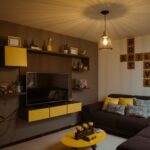

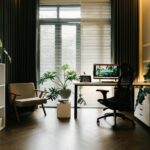

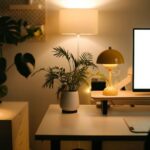


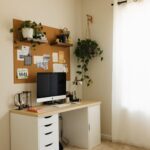


Creating a productive home office environment can significantly improve your focus, efficiency, and overall work satisfaction. Whether you are new to working from home or looking to enhance your existing setup, there are key strategies to optimize your space for productivity. This guide provides practical tips to help you design a home office that keeps you motivated and minimizes distractions.
Choose the Right Location
Find a Dedicated Space
Having a dedicated workspace is one of the most important factors for productivity. Select a room or a quiet corner that is separate from your living or sleeping areas. A clear boundary between work and personal life helps you focus during work hours and relax afterward.
Consider Natural Light
Natural light boosts mood and energy. Position your desk near a window if possible, so you benefit from daylight. Avoid glare on your screen by placing your monitor perpendicular to the window.
Invest in Ergonomic Furniture
Comfortable Chair and Desk
Your chair should support your lower back and allow your feet to rest flat on the floor. Adjustable chairs are ideal for finding the perfect height. A desk at the right height prevents strain on your wrists and shoulders.
Monitor and Keyboard Setup
Keep your monitor at eye level to avoid neck strain. Use an external keyboard and mouse if you work on a laptop, which can help maintain better posture.
Organize Your Workspace
Declutter Regularly
A tidy workspace reduces distractions and boosts focus. Keep only the essentials on your desk and store other items in drawers or shelves.
Use Storage Solutions
Use boxes, filing cabinets, or desk organizers to manage papers and office supplies. Label storage containers for easy access.
Manage Cables
Use cable clips or sleeves to keep wires tidy and prevent them from tangling.
Establish a Routine
Set Regular Work Hours
Create a consistent schedule that mimics an office environment. Start and finish work at the same time daily to build structure.
Take Breaks
Short breaks every 60–90 minutes can help maintain energy and concentration. Stretch, walk, or do light exercises away from your desk.
Minimise Distractions
Limit Noise
Use noise-cancelling headphones or play background music to block out household noises. If noise is unavoidable, consider a white noise machine.
Set Boundaries
Communicate your work hours to family or roommates to prevent interruptions. Use visual signs like a closed door or a “Do Not Disturb” notice when needed.
Enhance Technology and Connectivity
Reliable Internet Connection
A fast and stable internet connection is essential for video calls, downloads, and cloud-based work.
Use Quality Equipment
Invest in a good webcam, headset, and microphone to improve communication during virtual meetings.
Personalise Your Space
Add Greenery
Plants improve air quality and create a calming atmosphere.
Decorate Tastefully
Incorporate artwork, photos, or inspirational quotes that motivate you without overwhelming your workspace.
Control Lighting
Use adjustable lamps or smart lighting to suit different times of day and tasks.
Maintain Work-Life Balance
Separate Work and Relaxation
When your workday ends, shut down your computer and store work materials. Avoid working from your bed or couch, which can blur boundaries.
Plan Post-Work Activities
Engage in hobbies, exercise, or socialising to recharge your mind and body.
—
By thoughtfully setting up your home office with these tips, you can create a productive space that supports your well-being and work goals. Remember, small changes can make a big difference in how you feel and perform while working from home.