






Creating a productive home office environment is essential for anyone who works remotely or spends significant time completing tasks at home. A well-organized and comfortable space can improve focus, reduce distractions, and increase overall productivity. Whether you have a dedicated room or a small corner in your apartment, these tips will help you set up an effective workspace tailored to your needs.
1. Choose the Right Location
Selecting the best spot for your home office is the first step in building a productive environment.
– Quiet and private: Pick a location away from household noise and distractions. If possible, use a separate room with a door to minimize interruptions.
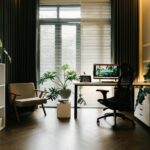
– Natural light: Position your desk near a window to benefit from natural daylight, which can enhance mood and reduce eye strain.
– Ventilation and temperature: Ensure the area is well-ventilated and maintains a comfortable temperature throughout the day.
2. Invest in Ergonomic Furniture
Comfort is key when setting up your workspace because it affects your posture and health.
– Desk: Choose a desk that fits your space and offers enough surface area for your computer, documents, and accessories.
– Chair: An adjustable chair with good lumbar support helps avoid back pain. Look for chairs that allow height adjustments and have armrests.
– Monitor positioning: Your computer screen should be at eye level and about an arm’s length away to reduce neck strain.
3. Organize Your Workspace Effectively
A clutter-free environment encourages productivity by minimizing distractions and increasing efficiency.
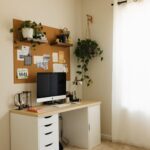
– Storage solutions: Use shelves, drawers, or filing cabinets to keep supplies organized and out of sight.
– Desk organizers: Small trays or containers can hold pens, paper clips, and other essentials preventing mess.
– Cable management: Use clips or cable ties to keep cords tidy and avoid tripping hazards.
4. Manage Lighting Properly
Proper lighting reduces eye strain and keeps you alert during work hours.
– Combine natural and artificial light: Rely on daylight whenever possible, but supplement with adjustable desk lamps to avoid shadows.
– Use warm light for comfort: Soft white bulbs can create a cozy atmosphere without being too harsh.
– Avoid glare: Position monitors and lamps to prevent reflections on screen surfaces.
5. Minimise Distractions
Improving your focus means controlling interruptions from both inside and outside your home office.
– Set boundaries: Communicate your working hours and work zone to family or housemates.
– Use noise-cancelling headphones: These can help block background noises during important tasks or virtual meetings.
– Turn off notifications: Silence non-essential notifications on your computer and phone during focused work periods.
6. Personalize Your Space
Adding personal touches can make your workspace more inviting and motivating.
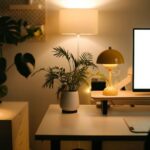
– Houseplants: Greenery can improve air quality and boost mood.
– Artwork or photos: Use visuals that inspire you without overwhelming the space.
– Comfort items: Include a small blanket or cushion for physical comfort during long sessions.
7. Establish a Routine
A productive environment is also about forming good habits and maintaining structure.
– Set regular hours: Define your start, break, and finish times to balance work and rest.
– Take breaks: Short breaks every hour improve concentration and reduce fatigue.
– Keep a to-do list: Prioritize tasks daily to maintain focus and track progress.
8. Use Technology Wisely
Leverage technology to streamline your work but avoid overloading your space.
– Essential devices: Invest in reliable internet, printers, and charging stations.
– Cloud storage and apps: Utilize cloud services for file access and collaboration.
– Limit devices at hand: Keep essential tech only on your desk to reduce clutter.
—
By thoughtfully arranging your home office using these strategies, you create an environment that supports productivity and well-being. Remember, the ideal workspace reflects your personal needs and preferences, so take time to adjust and refine your setup for the best results.